A Practical Tour of the TubeLogX Creator Workspace
TubeLogX is easier to understand as one loop than as a list of tools: observe the channel, investigate a change, prepare an experiment, and keep the result in context.
#Dashboard: Orientation and Memory
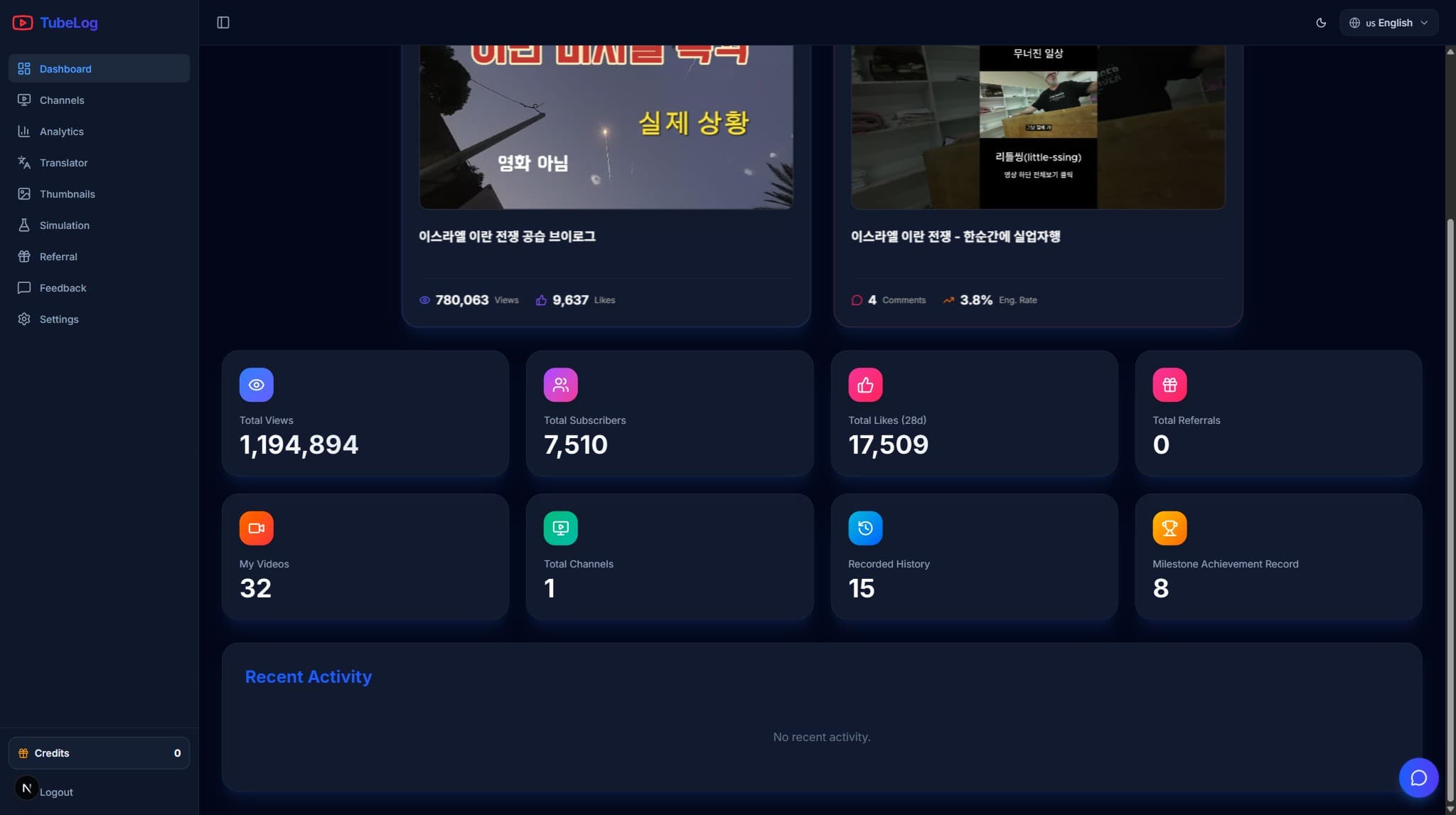
The dashboard brings together connected-channel totals, recent changes, activity, history, and milestone summaries. Use it to decide where to investigate—not as the final explanation of why something changed.
#Analytics: Channel-Level Context
Analytics is organized into growth, audience, traffic, and revenue areas. Availability varies with channel permission, eligibility, privacy thresholds, and YouTube reporting. Forecasts are displayed as TubeLogX simulations and should remain separate from measured history.
Move from overview to evidence
Select a channel and period, identify a meaningful change, and continue into the supporting content or audience context.
#Videos: Explain the Aggregate
Video pages can bring together views, engagement, retention, comments, revenue, history, and forecast context when available. Labels identify internal estimates where a direct YouTube metric is unavailable.
#Thumbnails: Generate, Analyze, Compare
The thumbnail workspace supports project-based concept generation, history, download, and review. The separate analyzer adds internal visual-attention and content-match signals. Neither generation nor analysis changes YouTube automatically.
#Translator: Draft, Review, Apply
Translate subtitle files or connected-video metadata, use a glossary, inspect usage estimates, review results, and download them. YouTube is changed only after you choose a supported apply action and confirm it.
#Comments, Milestones, and Forecasts
Comment analysis groups sentiment, keywords, and original comment context without moderating comments for you. Milestones place recorded totals against predefined thresholds. Forecasts extend history with an internal scenario rather than an official YouTube prediction.
#Settings and History
Settings brings together profile, AI preferences, billing, token lots, and history. Usage history helps reconcile an operation's estimate with settled tokens; payment history contains receipts and refund status.
The documentation hub contains a current guide for each workflow and inline demo slots that can later be replaced with product recordings.